Tools & Engineer’s Guide — CCTV, Solar, Inverter & Lithium
AI SECUTECH maintains this engineer’s guide so every installation and repair is done to a consistent, safe, professional standard across CCTV, solar, inverter/UPS and lithium battery work. For customers, it shows the level of care that goes into every job. For engineers, it is the knowledge checklist to follow on site. Need a professional hand? Call +91 92075 71572.
1. Essential Tools Every Engineer Should Carry
Never start a job without this basic kit:
- Measurement: digital multimeter (DC/AC voltage, continuity, current), clamp meter
- Cabling: RJ45 crimper, network cable tester, BNC crimper, wire stripper, solder iron
- Installation: cordless drill + bit set, screwdriver set, cable puller, ladder
- Consumables: CAT5e/CAT6 cable, RG59 coax, connectors, cable ties, heat shrink, junction boxes
- Safety (PPE): insulated gloves, safety shoes, safety glasses, headlamp
2. CCTV Work — What an Engineer Should Know
Camera types
Understand the four families you will install: AHD/HD coax cameras (analogue signal over RG59, works with DVR), IP cameras (network cameras over CAT5e/CAT6, works with NVR), WiFi cameras (no cabling, needs good signal), and solar/WiFi cameras (battery + solar panel, ideal for farms and estates).
Cabling rules
| Cable type | Used for | Safe max run |
|---|---|---|
| CAT5e / CAT6 (PoE) | IP cameras (power + data) | ≈ 100 m |
| RG59 coax | AHD / HD coax cameras | ≈ 300 m (with good cable) |
| 2C/4C power cable | Camera power supply | keep short, use 12V adapters near camera |
Installation checklist
- Do the site survey first — camera angles, blind spots, cable route, and where the DVR/NVR will sit.
- Mount cameras about 2.5–3 m high, angled down, avoiding direct sunlight and backlight.
- Use weatherproof junction boxes outdoors and seal cable entry to stop water and insects.
- Connect power last; check polarity and voltage at the camera before fixing.
- Set up the DVR/NVR: install the hard disk, assign IP, enable remote viewing, and test from a phone.
- Provide lightning/surge protection and a proper earth on outdoor installations.
Common faults and fixes
- No signal on one channel — check the cable, connector, and that the channel is enabled on the recorder.
- White glow at night — IR reflection off a wall or glass; move the camera or angle it away.
- Camera offline on NVR — IP address conflict or PoE port fault; test the cable with a tester.
- Hard disk not detected — reseat the SATA cable, check power, then format the disk in the menu.
- Storage filling fast — enable motion-triggered recording and set a sensible resolution/frame rate.
3. Solar Work — What an Engineer Should Know
System types
Know the difference before quoting: on-grid (connected to the KSEB grid, net metering), off-grid (batteries only, no grid), and hybrid (grid + battery, best backup). Components: solar panels, inverter, battery bank, mounting structure, and DC/AC protection.
Site survey
- Check roof orientation (south-facing is best in Kerala), tilt ≈ 10–15°, and shading from trees and buildings.
- Measure the available roof area — a 1 kW system needs roughly 60–70 sq.ft of clear space.
- Confirm load, daily energy need, and whether the customer wants backup or net metering.
Wiring and safety rules
- Check panel specs before wiring: Voc (open-circuit voltage) and Vmp must stay within the inverter’s input range.
- Use correct MC4 connectors, maintain polarity, and never mix strings of different voltage.
- Fit a DC isolator and fuse/MCB on every string, and a proper earth/lightning arrester.
- Never disconnect DC under load; cover panels (or work in low light) when working on cables.
- After wiring, test string voltage and current with a multimeter before switching the inverter on.
- For grid-tied work, follow the KSEB net metering process — site certificate, installation report, and meter installation — before energising.
4. Inverter / UPS Work — What an Engineer Should Know
Types
Home inverters (battery backup for lights, fans, TV), UPS (instant switchover, protects computers), and grid-tie/solar inverters. Select capacity carefully — never overload, and match the battery bank to the load hours.
Quick sizing rule
| Load (approx) | Inverter size | Battery (lead-acid) |
|---|---|---|
| Lights + fan + TV | 900 VA – 1100 VA | 150 Ah (1 battery) |
| Whole small home | 2000 VA – 3000 VA | 200 Ah (2 batteries) |
| Home + solar backup | 3 kW – 5 kW hybrid | 100 Ah – 200 Ah LiFePO₄ |
Installation and service rules
- Use the correct cable gauge for inverter-to-battery distance; keep it short and tight.
- Connect the battery first (correct polarity!), then the mains, and fit an MCB/fuse close to the battery.
- Check earth continuity; a floating neutral or missing earth causes shocks and equipment damage.
- For service: check battery voltage at rest (lead-acid ≈ 12.6 V, LiFePO₄ ≈ 13.2 V), charging current, and inverter fan/filter cleanliness.
Common complaints
- Low backup — check battery health, state of charge, and oversized loads.
- Beeping — usually low battery or overload; confirm the load and charger settings.
- Not charging — check mains, charger fuse, and battery polarity before blaming the inverter.
5. Lithium Battery Packs — What an Engineer Should Know
Cell types
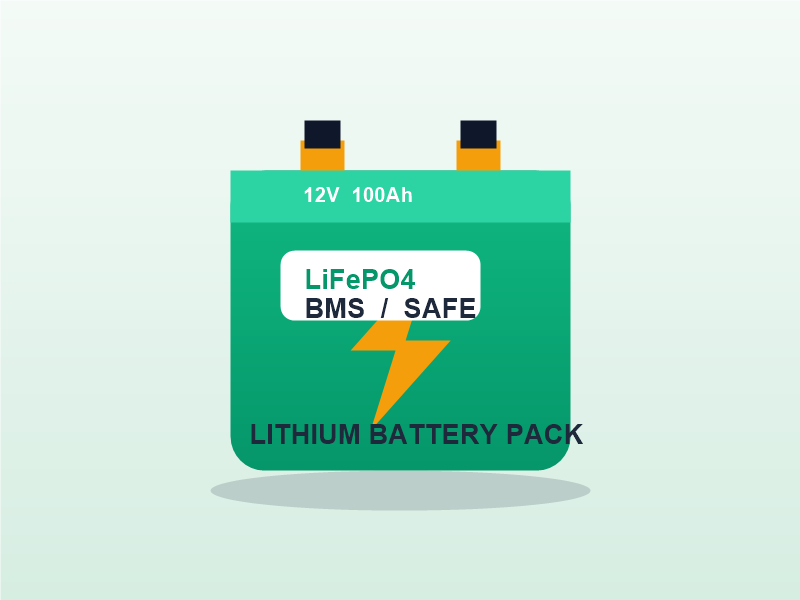
LiFePO₄ — safest chemistry for solar/inverter/EV packs, long life (2000+ cycles), stable. NMC / Li-ion — higher energy density, used in e-bikes and portable devices, needs stricter handling. Never assume; always check the cell datasheet.
Non-negotiable safety rules
- Always use a BMS (battery management system) — it protects against overcharge, over-discharge, over-current and short circuit.
- Never short the terminals; a wrench across the pack can cause fire. Isolate terminals during work.
- Never overcharge: LiFePO₄ cells charge to 3.65 V/cell max (a 12 V pack = 4 cells in series ≈ 14.6 V charge voltage).
- Match cells in a pack for capacity and age; mix only identical cells of the same batch.
- Keep packs away from water, heat, and direct sun; mounting must allow air flow.
- Charge with a lithium-rated charger or an inverter/MPPT with a lithium profile — do not use lead-acid settings.
Do’s and don’ts
- Do check voltage and balance of cells before assembly and after charging.
- Do use the correct torque on terminals and protect connections from vibration.
- Don’t pierce, drop, or crush cells; don’t charge a damaged or swollen pack; don’t discard cells in regular waste — recycle them responsibly.
6. Safety First — Rules for Every Job
- Switch off and lock out power before opening panels, inverters, or battery banks.
- Verify with a meter that the circuit is dead before touching it.
- Use insulated tools and wear PPE for every electrical job.
- Never work alone on roofs or ladders; secure ladders and tie off where possible.
- When in doubt, stop and call the senior engineer — +91 92075 71572.
Frequently Asked Questions
Q: How far can a PoE CCTV cable run?
A: CAT5e/CAT6 PoE runs are reliable up to about 100 metres. Beyond that, use a PoE extender or run fibre and use a converter.
Q: Do solar panels need earthing?
A: Yes. Panel frames, mounting structure, and the inverter must be properly earthed, with lightning/surge protection on outdoor systems.
Q: Which inverter battery size do I need?
A: As a guide, lights + fan + TV works well with a 150 Ah battery, while a whole small home usually needs 200 Ah or more. Call us for a free calculation.
Q: Can I use a lithium battery with my old inverter?
A: Only if the inverter supports a lithium charging profile (LiFePO₄). Running lithium on lead-acid settings will damage the pack. We can check your inverter model and advise.
Q: Is it safe to work on solar panels in the rain?
A: No. DC voltage from panels is live even in low light. Plan indoor and battery work first and complete panel wiring in dry conditions.
Contact Us
AI SECUTECH — Sultan Bathery, Wayanad
Opp. Anupama Hospital, near WMO School, Police Station Rd, Sultan Bathery, Kerala 673592
Phone / WhatsApp: +91 92075 71572
Email: support@aisecutech.in
Services: CCTV in Wayanad · Solar in Wayanad · Computers & Inverters · Lithium Battery Packs